gabyniko
patreon
Hi Everyone!
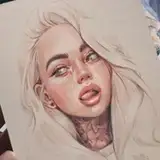
Happy Tuesday 😊 Today I share with you my new Digital Portrait study made in Procreate. I wanted to show you a bit more than time-lapse so the video also includes an iPad screen recording.
Below you will find pictures of the steps I did, and if you want a more detailed tutorial of such a portrait, it is here: Digital Drawing Tutorial 📌

_____________
STEP BY STEP
(All the brushes are from Procreate besides the "Fine Liner" that you can find HERE 🖌)
1. Initial sketch with "Dry Ink" brush
2. Lowering the opacity of the 1st sketch and drawing more accurately on the new layer. I repeat this a few times if I'm not happy with the line art.

3. Correcting the proportions with a Liquify tool
4. Shading and Hatching, mostly with "Procreate pencil". Bigger planes of shading with "Bonobo chalk".

5. "Fine Liner" to draw the hair strands.
7. Lasso tool to draw shading of the hair with "Gouache" brush.

8. "Flicks" to paint some skin details (freckles).

You'll find reference photo attached at the end of this post 📍
Hope you like it!
Have a lovely day 😊
Gaby


I made it once with greyscale as in the post and once with color but yes! I need to do more of these 🥰
I had a problem ar first with the glass feeling of the screen. Maybe some textured screen foil would help?
Gabi, is to possível to make a lesson about procreate portrait, step by step, explaining brushes, use of colours and palettes, and all the process?
It looks great! Somehow, I can’t really draw on my iPad it just never looks or feels right. This video was very relaxing and I love how you drew the hair.