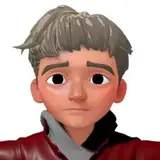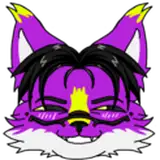
Abiboi
gumroad
*Using Unified expression Blendshapes and Jerry's template
• Share or gift any of the files to anyone.
• Claim the avatar as your own.
• Upload any of the files on a Google Drive or any Online Hosting services.
YOU CAN:
• Credit me when you can
• Create and sell assets made to work with this avatar
• Do reskin and modification on the avatar for a client as long as both of you bought the avatar in order to rightfully use it
• Upload public version of the avatar as long as it is accessible for everyone on a pedestal in a public world
This asset is provided as is, without warranty of any kind
Purchasing this asset grants you a personnal use liscence only.
Due to the nature of the asset, i do not offer any form of refunds
_______________________________________________________________
I am NOT responsible of any action taken against you if you break the VRCHAT TOS.


Add Gesture manager package


All addons are located inside the "Minizear/Addons" folder they all follow the same installation Guidelines, Follow the video bellow on how to install them:

Blender File
SPP
Photoshop
VRM File
VRM Unity package ( NOT FOR VRCHAT USE !!!)