PoisonApplePrints
patreon
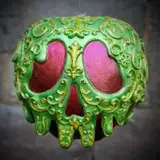
Our wickedly wonderful interchangeable villain lantern is now available from the downloads folder! The lantern has 4 windows for the interchangeable panels and attaches to the roof using 4 corner clips that are also printable separately. It prints in 5 parts with no supports needed, except for the large roof piece, which should be printed with regular (non tree) supports, pointy side facing upwards. In order to stop the light from escaping dark filament is recommended, preferably with 3 or 4 walls instead of Bambu's usual 2 wall settings.
The lantern comes fitted with a wire groove in the bottom to lay flat on any surface and also has a hole in the top for easy hanging. It fits Bambu's led lamp kit 001, but for those who don't have the light an electric tealight holder adapter is also included that can be slotted into the base.
It can be permanently attached together using glue, which is optional (Mainly if you plan to hang it), but unless you plan to keep the same 4 panels do not glue the top panel border where the clips are as you won't be able to change panels afterwards. Assembly is fairly straightforward but if you need any help feel free to drop me a message below, instructions and photos of the HueForge panels have been included at the end of the post.
If you have any questions or issues at all let me know! Up next I'll have some lovely matching Villain bookmarks for you!

Hades
Swap Instructions:
Start with Turquoise
At layer #4 (0.28mm) swap to Cyan
At layer #19 (0.88mm) swap to Cobalt Blue
At layer #35 (1.52mm) swap to Black for the rest.
Jafar
Swap Instructions:
Start with Sunflower Yellow
At layer #12 (0.6mm) swap to Pumpkin Orange
At layer #18 (0.84mm) swap to Red
At layer #40 (1.64mm) swap to Black for the rest.

Queen of Hearts
Swap Instructions:
Start with Jade White
At layer #4 (0.28mm) swap to Red
At layer #19 (0.88mm) swap to Pumpkin Orange
At layer #21 (0.96mm) swap to Black for the rest.
Chernabog
Swap Instructions:
Start with White
At layer #7 (0.4mm) swap to Grey
At layer #22 (0.56mm) swap to Black for the rest.

Mal
Start with Yellow
At layer #9 (0.48mm) swap to BambuLab Green
At layer #24 (1.08mm) swap to Black for the rest.
Oogie
Swap Instructions:
Start with Jade White
At layer #5 (0.32mm) swap to BambuLab Green
At layer #19 (0.88mm) swap to Dark Green
At layer #30 (1.24mm) swap to Black for the rest.

Ursula
Swap Instructions:
Start with Jade White
At layer #9 (0.48mm) swap to Magenta
At layer #13 (0.64mm) swap to Cobalt Blue
At layer #22 (1mm) swap to Black for the rest.
Dr. Facilier
Swap Instructions:
Start with Jade White
At layer #10 (0.52mm) swap to Purple
At layer #20 (0.92mm) swap to Indigo Purple
At layer #27 (1.2mm) swap to Black for the rest.
 Evil Queen
Start with Jade White
At layer #13 (0.64mm) swap to Purple
At layer #26 (1.16mm) swap to Indigo Purple
At layer #28 (1.24mm) swap to Black for the rest.
Cruella
Swap Instructions:
Start with Jade White
At layer #8 (0.44mm) swap to Red
At layer #17 (0.8mm) swap to Maroon Red
At layer #23 (1.04mm) swap to Black for the rest.


If I wasn't a member this month... is it possible to buy this month's models??? June was simply an amazing month!!
Do I need a certain type of filament to allow the light to come through? I'm getting ready to print these, but suddenly wondering if the print is setup to be thin or if certain filament brands allow light to pass through better than others.
They shouldn't but I made a few versions of the clip so I might have uploaded the wrong file. I'll run a test print on it tonight and get back to you tomorrow
I'm having problems getting the clips to fit into the the slots. Do they need to be sized down?
The panels for the princess one will be out sometime next month 😊
This is amazing PLEASE do a princess version
It would! you can print them in colour if you don't have a Bambu though, they print one colour at a time. If you slice them in Prusa, on the filament preview bar to the right, just scroll and find the colour change layers and add a pause so you can swap filaments
If you don’t have a bambu what would you suggest colour wise? Would it come out like a littophane if the panels are done in white