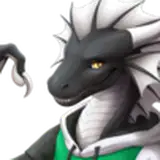
Noodle Dragon Wings (VRChat Asset)
🕑 Added 2025-02-27 08:06:52 +0000 UTCAdd a set of big (or small!) dragon style wings to your Noodle Dragon in VRChat! They are fully functional with several features, including:
- Toggleable with a nice animation
- Size change with a slider, from cute little flappers to huge, swooshing wings
- Poseable with a puppet control
- Lively animations driven by head movement, look at your wing to extend it!
- Blendshapes for hiding/enlarging claws or paw pads
- Wing hugs!
- Flapping animation, triggered by just jumping, GoGo Loco flight compatible out of the box
- Audiolink UV set
- Puppetable with your hands
These wings do not require any other license, they are made from scratch by me and are completely free.
Credits
This is a collaboration between Purpzie and Morghus. Both creators will get 50% if you decide to donate!
Compatibility
These wings are currently compatible with:
- Nardotaur Edit by Laser Raptor (base avatar by Nardoiri)

- Moondle Edit (WIP) by Laser Raptor (base avatar by Scritt)Laser Raptor's Discord
- Puppet Dragon Edit by Purpzie (base avatar by Meelo)Purpzie's Discord
- Novataur Edit by STARZILLA (based on the Nardotaur Edit)Novabeast DiscordDirect Link to Novataur
Try it out
Click on "Change into Avatar" on this link:
- Nardotaur + WingsClone (VRChat)
Installation
This package requires VRCFury for installation. Download it here: https://vrcfury.com
Installation without VRCFury is theoretically possible, however, I can't provide help with it.
- Install VRCFury
- Import the Dragon Taur Wings package
- Locate the "Dragon Taur Wings" Prefab in your Project view, click and drag it directly onto your main avatar object in your inspector/scene, so that it becomes a direct child of it
- Done! VRCFury will take care of everything else, including merging the animation controllers, parameters and menu entries.
Help
Join my Discord: https://morgh.us/discord
License
Do:
- Add it to your avatar
- Adjust it to fit any other avatar
- Use it for VTubing
- Customize it however you want
- Use it for commissioned work
Don't:
- Pass it off as your own work
- Resell it as-is
Unitypackages
Prerequisites
VRCFury (https://vrcfury.com)
Installation
Install VRCFury
Import the Dragon Taur Wings package
Locate the "Dragon Taur Wings" Prefab in your Project view, click and drag it directly onto your main avatar object in your inspector/scene, so that it becomes a direct child of it
Done! VRCFury will take care of everything else, including merging the animation controllers, parameters and menu entries.
Changelog
Update 3
Fixed all blendshapes
Fixed shoulder deformation when used on the Moondle
Update 2
Adjusted constraints at the base of the wings to align them better with the body
Update 1
Initial release