amoebae
patreon
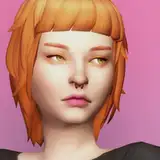
Clear POP! was made as a request by one of my lovely Patreon subscribers, shooby sims. Their brief was that it be a bright, clear, cool and cheerful preset that made colours bold and punchy, while avoiding overly-saturated oranges and haziness. Their overriding desire was that it made them feel happy!
---
Clear POP! is a lightweight preset, relying on handmade LUTs that do the majority of the work, and a small handful of additional shader effects to help balance things in certain locations and times of day.
Clear POP! makes use of shaders from a few different places, so for ease of use everything you need is included. Links to the various shader repositories are included in the instructions file should you need to get updates or replacements in the future.
Clear POP! was made using luumia's No Blu (v2, gameplay version) and No Glo (v2.1). If you don't use these lighting mods interiors in particular will look different to any of my screenshots, but it should still look okay.
Made with ReShade 4.7 and 4.8.2. Should work with any 4.x version. Installation and usage instructions are included in the download.
An album of images using Clear POP! can be viewed here: https://imgur.com/a/bcUS2yE
---
With thanks to everyone involved in the ReShade project, and to shooby sims for commissioning this preset.
---
CHANGELOG


No, I'm sorry :( If you had bootcamp and a Windows version of the game you could use it then, but not with Mac OS and a Mac version of the game.
reshades don't work on mac right? :(
I will try this, and also join the Discord server!
Do you want to pop on over to my discord server? I have a channel for ReShade troubleshooting, and it might be easier to help you there because we can go through things step by step - https://discord.gg/CzbWRhG7UH If you don't want to use discord, what I'd recommend doing is backing up your ReShade installation, and then removing all the ReShade files you currently have installed. Then, take the files in my download and place them all in your Bin folder, and load the game again. See what happens. The only ReShade files you should have at this point are the ones I gave you, nothing else. If that works, you can then add back in the shaders you need for the other presets you use (just pasting them into the Shaders folder from wherever you backed them up to). Perhaps do them in small batches though, and test a bit at a time, so you can see which cause you problems.
Okay, I removed the display depth shader, but then Deband.fx failed right after that. Should I try to install 4.8.1?
If it’s only the display depth shader, you can go ahead and delete that from the reshade-shaders > shaders folder. It’s not a shader that most people use, it’s used for troubleshooting the depth buffer and not for any actual effects, so you don’t need it. Once you’ve deleted it the error will go away and hopefully it’ll solve your problems!
Um, big sad. I'm getting errors when trying to load Clear POP! with ReShade 4.9.1. It said that some of the shaders failed to load properly. So, I uninstalled 4.9.1 and installed 4.8.2, since you made it with that one... But, I got the same error: https://imgur.com/Uk8tWZt -- If I select Clear POP! it crashes my game and I have to replace the ReShader files and start the game again. :( I really want to use this. Please, help?