BC7 compression comparison
🕑 Added 2020-11-01 12:51:16 +0000 UTCBC7 as texture format is becoming more and more common for games (in particular, RE Engine games use this for virtually every texture), and because of how the format works (there's a good explanation for it here: http://www.reedbeta.com/blog/understanding-bcn-texture-compression-formats/) it can vary how well BC7 compressors will compress images into the format.
I decided to compare 4 different compressors here, to determine which went works the best. I encoded a PNG into DDS BC7, and then made the above comparisons (which are all shown at a very high zoom level). In every instance, I chose the highest possible compression quality.
Here's how the comparisons fared. First of all, the test strip (ordered from best to worst):
- Nvidia Texture Tools: The gradient is retained seemingly perfectly, except for the very bottom where you get some artifacting which looks like an uneven gradient.
- Intel Plugin for Photoshop: Similar result as the Nvidia Tools except the artifacting at the bottom is even worse with the gradient becoming mostly flat.
- Compressonator: The gradient is noticeably worse with all pixels becoming double horizontally. The bottom of the gradient looks similar to what Nvidia Tools produced.
- Noesis: Similar to Compressonator (pixels are doubled horizontally) but the gradient at the bottom becomes uneven and a part of the pattern becomes a pixel taller than it should be.
Based on the above test, the Nvidia Texture Tools and Intel Plugin are by far the best choices.
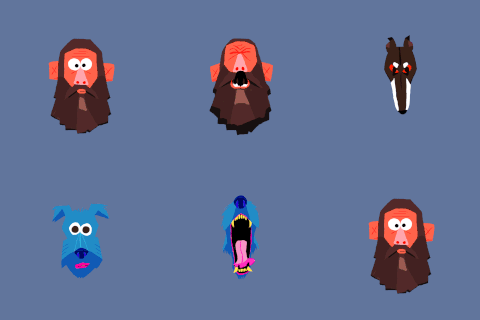
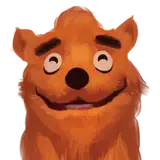
And a second test, based on a painting (again, ordered from best to worst):
- Nvidia Texture Tools - It's virtually impossible to tell the difference. Some pixels are technically different, but it's impossible to tell without switching back and forth and it doesn't look worse.
- Noesis - Very close to the original. The bottom lip is ever so slightly discoloured compared to the original, but it's hard to notice.
- Intel Plugin for Photoshop: Similar result as Noesis.
- Compressonator: There are many 4x4 blocks which got reduced to fewer colours compared to the other programs, though it's only barely noticeable (it's the most noticeable at the bottom left part of the nose).
For images like this, I think all of the above produce very similar results, with Compressonator lagging slightly behind.
Overall, Nvidia Texture Tools and Intel Plugin for Photoshop produces the best results, though it's worth saying that at 1:1 pixel ratio it's difficult to tell differences (that said, games do magnify textures all the time, so you do ideally want to avoid as much artifacting as possible).
Another quick thing I should mention is compression speeds. I didn't time these, but I noticed Nvidia Texture Tools was substantially slower than everything else (I wasn't able to get CUDA acceleration working, so maybe it would be fast with that enabled).
Here are download links to all of the above tools:
- Nvidia Texture Tools: https://developer.nvidia.com/nvidia-texture-tools-exporter (there are two variants: command-line tools and Photoshop Plugin)
- Intel Texture Works Plugin for Photoshop: http://gametechdev.github.io/Intel-Texture-Works-Plugin/
- Compressonator: https://github.com/GPUOpen-Tools/Compressonator/releases (there are two variants: command-line tool and one with a GUI)
- Noesis: https://richwhitehouse.com/index.php?content=inc_projects.php
- RE Engine TEX script for Noesis: https://residentevilmodding.boards.net/thread/13963/saving-custom-tex-textures-noesis
If you want to take a closer look at the full version of the images I used for this comparison, then here you go (these were all converted from PNG -> DDS BC7 -> PNG, except for the original images of course):
- Original - Ivy painting: https://cdn.discordapp.com/attachments/449840053049360388/772433149933518848/original.png
- Original - Test strip: https://cdn.discordapp.com/attachments/449840053049360388/772434189751418890/teststripbefore-cap-cmpr-564311.png
- Nvidia Texture Tools - Ivy painting: https://cdn.discordapp.com/attachments/449840053049360388/772433139842678794/nvidia.png
- Nvidia Texture Tools - Ivy painting: https://cdn.discordapp.com/attachments/449840053049360388/772434063591211018/teststripbefore-cap-cmpr-564311.png
- Intel Photoshop Plugin - Ivy painting: https://cdn.discordapp.com/attachments/449840053049360388/772433152806748160/photoshop.png
- Intel Photoshop Plugin - Test strip: https://cdn.discordapp.com/attachments/449840053049360388/772433984696877107/teststripbefore-cap-cmpr-564311-linear.png
- Compressenator - Ivy painting: https://cdn.discordapp.com/attachments/449840053049360388/772433156056809472/compress.png
- Compressenator - Test strip: https://cdn.discordapp.com/attachments/449840053049360388/772433809999265803/teststripbefore-cap-cmpr-564311.png
- Noesis - Ivy painting: https://cdn.discordapp.com/attachments/449840053049360388/772433154757754900/noesis.png
- Noesis - Test strip: https://cdn.discordapp.com/attachments/449840053049360388/772433896385413150/teststripbefore-cap-cmpr-564311outout.png
Comments
Thursdaytoast
Thank you!
Chem-pro
i don't understand a lot of this things ,but i really appreciate your work !π¨βπ¬π¨βπ¬π¨βπ¬