Ati Torrez
patreon
Hi everybody, happy dumb time of the year where it is not that cold nor hot but we end up all with a cold anyway! Its already spring here and it sucks, at least till the temperature get a little warmer.
Got some IRL work this month so I didn't do all I wanted to do with this pack but not gonna complain the economic situation here its worst every day so Im lucky that Im getting new customers.
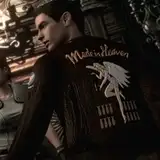
There is 19 rooms "done" in the mod right now wich is a lot if we talk about textures but is not so much if we talk about the game it self off course nothing is final right now, even the stuff that is "done" will be revisited in the future.
All the rooms from the begining of the game till the alley of the arcade/library/hospital are mostly done, there is some missing texture that have a crude upscaled in place till they are done.
There is a couple of known problems: there is a couple of textures that for some reason the emulator cant dump so I coudnt replace yet (like the wall between the benches were the 2 first lickers appear). Besides that the enemy/npc updated textures dont load for some reason, they show up sometimes but its totally random I still need to talk with the emulator people to see if there is a solution, I really want to make some unique zombies for this game so we can rid of the RE2 rehashes.
What do you need?
Instalation:
Your folder should look something like this:

Thats it, you dont need anything else in the future you just need to update the -texture-replacements folder and the mod will be updated.
FAQ

Next update besides more rooms will include mor UI and item stuff as Im creating new render for them.
As always thank you all for your support!


How to get Link download