IanHubert
patreon
[This is written specifically for Blender's "Cycles" path tracer, but I assume a lot of the same logic applies to other path tracers? Also, I mention below, but if you have a render with crazy fireflies, feel free to post a link in a comment, and maybe we can identify the problem area]
Hey hey! So- I keep seeing folks using the Cycles path-tracer with, like, 2,000-3,000 samples (or more??), and personally I rarely go over 200 or so, and while there's nothing wrong with making sure you get a super clean render, a lot of times fireflies are caused by just one little thing in the scene somewhere, and if you avoid having those things, you can skate by on a fraction of the render times.
One of the best things about rendering in cycles is that they keep optimizing it. Scenes render significantly faster now than they did 8 years ago, on the same machine, because they keep optimizing how the samples are used- and I think they still have some more tricks coming in the near future.
Mostly I'm talking about rendering for animation here. For stills, I mean sure, blast the samples to 2000 and just wait a couple hours. But a couple hours per-frame is pretty intense for the average person.
THIS DENOISING BIT IS OUT OF DATE. I'M PRETTY SURE THE OPTIX DENOISING WORKS WITH ALL GPUS NOW, AND IS AS EASY TO SET UP AS SELECTING "OPTIX" IN THE DENOISING TAB OF THE RENDER PANEL.
I'M STILL KEEPING THE NEXT FEW PARAGRAPHS HERE THOUGH, JUST IN CASE.
DENOISING
Video tutorial on:
HOW TO QUICKLY SET UP DENOISING
First getting this out of the way, the Optix Denoiser (both in real-time and final renders) is a game changer, and I can't wait for the point where we all have a card that can implement it (if you do, but you don't, you should! I didn't think I'd be into it, but it's so nice; like a middle ground between eevee and cycles). UNTIL THEN, though, definitely take advantage of the regular AI denoising features! (You used to have to install an intel library or something to do this- I don't think you have to anymore??)
Lots of folks think denoising makes renders "creamy" or too smooth- that's just because basically every demonstration of denoising does it with ridiculously few samples to show it off (just like *cough* I'll be doing in a second, here). And even if I DO push it too far, if I slip a little post-grain over the top, it totally negates the "creamy" feeling (I can't overstate much useful grain is for eliminating that "denoised" look).
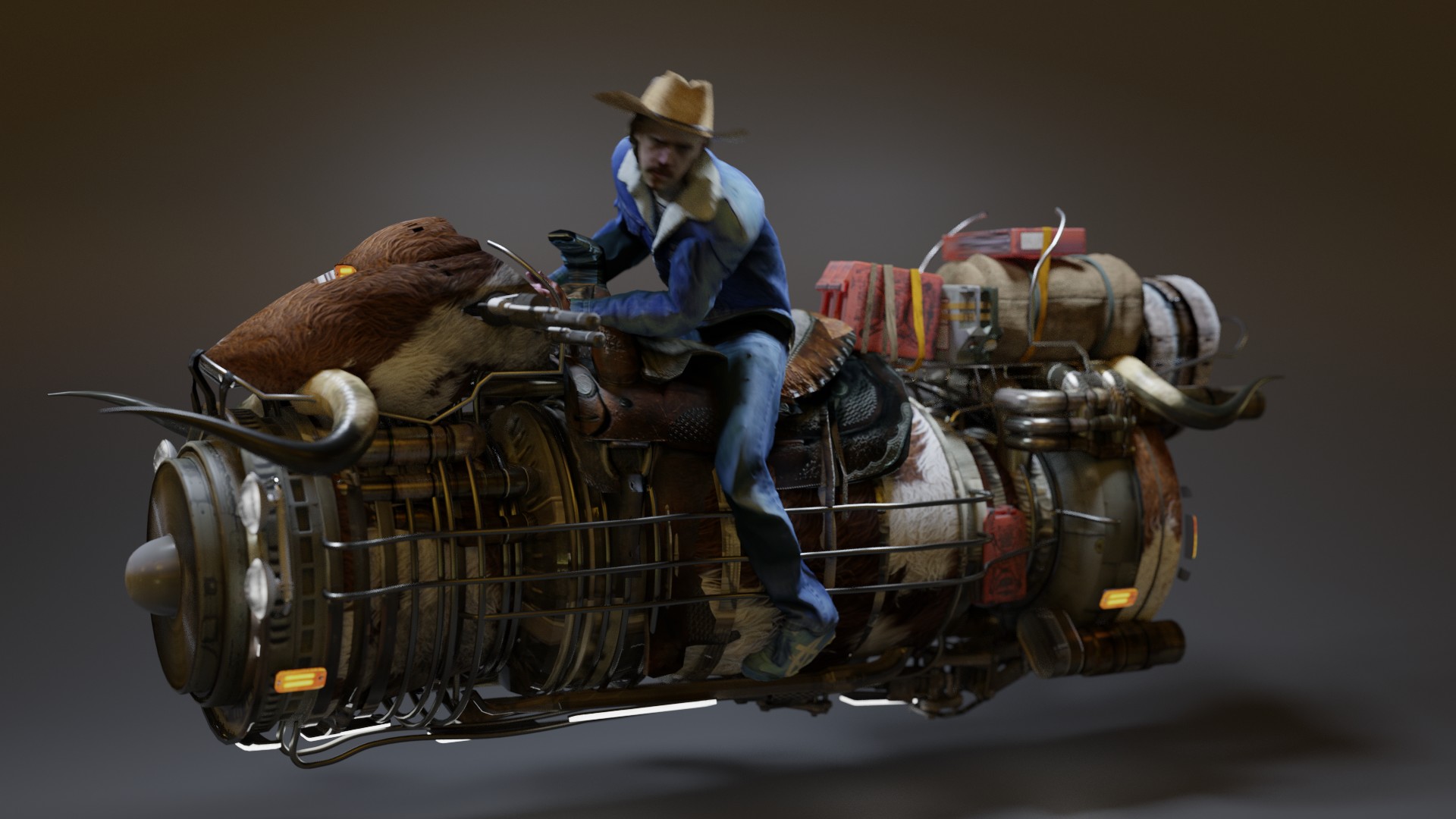
Just for reference, here's a render with a thousand samples, Raw, Denoised.
So, at this point in time, Blender has- ack, is it 3 denoising options? They aren't labeled particularly well.
All of these sample renders were done with 25 samples to highlight artifacts:
Regular Denoising
Basically compares groups nearby pixels to eliminate fireflies- you can see it can give a very blotchy look if you don't have enough samples, and it has that trademark artifacting around the highlights (the silver rail towards the back)
Intel AI Denoising
I think that's what it's called? Darn good! Look how well it treats that gradient and preserves details. I could use this in a project, for sure.
Optix Denoising
Nice! And super quick. With a little grain over the top, I'd happily use this in a final project.
FIREFLIES
One of the reasons the denoisers work so well in these instances is they aren't having to deal with fireflies, which are the big enemy of path tracers. Fireflies are those super bright points caused by anomalous light paths.
A Huge Thing to Keep In Mind: if you have fireflies in your scene, again, often it's just from one or two random elements in your scene. So all you only have to figure out is that one thing. How to cheat it, do it some other way, or render it separately.
Don't have geometry intersect the light- that's a GREAT way to get fireflies. In fact, keep your geometry a bit away from the lights, if you can. Otherwise you end up with really bright bounced light. Both of the following renders use 5 samples. The only thing that's changed is the location of the monkey relative to the light:


You see that? Still noise, but not really fireflies (particularly look in the darker area to the right of the image).
This comes into play a lot when you're putting practical light sources in your scene. For example, if you model a headlight (or lantern or something), and try to "make it work" by sticking a super bright little light in there, you're inevitably going to get a ton of fireflies as the light paths bounce around trying to escape. It's not the most physics accurate, but usually I'll try to add just enough light to make the headlight look right, then I'll stick a spotlight in front of it, shining un-blocked onto the street.
And refraction and caustics- turn those off unless you need them.

Also! Limiting indirect light! I don't tend to do this, because it can fundamentally change the feeling of the render in some cases, but here's where the settings are.

This is it set to 10 (the default, not particularly clamped)

And now set to .2 (very clamped, for demonstration. I'd usually suggest not going below 1, personally.)

I'm hoping not too much of this info is out of date (they keep updating everything!) For example, having lots of lamps in your scene used to really increase the render time, but I feel like that's not as much of an issue any more? I keep adding more and more lights to scenes and don't seem to be punished for it these days.
Normal/bump maps! Try to keep them fairly minimal. A glossy surface with a really intense normal map can take a long time to resolve.
The time added by motion blur seems faaairly negligible, unless you have a TON of it. The longest render times I've ever had involved massive amounts of motion blur- a big spinning blade. Just slowing it down a little bit changed the render time from 2 hours to 15 minutes.
Dark materials just absorb light, so if you're properly trying to see things, you'll need a ton of it. I've seen scenes made entirely of dark materials, and they can be tricky to light, for sure! And if everything is dark, that means the few bright things'll be super bright and blasting out fireflies like crazy. If I were doing a cave scene, I'd rather have a lighter-colored cave I could illuminate with less light than a dark cave I just had to blast with light.
If you're really trying to optimize, give your light a way to "escape". All light paths are just bouncing around looking for a light source to call home (counter-intuitively, light paths start in the camera, shoot to the object, then bounce around till they find what's lighting it). The more exits available to it, the sooner it can find a light source and be done. If you can ever delete a wall or a ceiling to let it escape (without changing the look of the render), do it!
Exterior scenes tend to render faster than interior, because typically light paths can find their way from the camera to a light source (the sky) with just one little bounce off a piece of geometry.
On that note, what about interiors? The first thing people did with cycles when it showed up is set up a room with a window and blast a sun in it to see the light bounce around. That's because before that, light didn't bounce, it just went straight from the camera to the object to the light, and if anything got in the way, it resulted in 100% shadow. Multiple bounces was wild!
But that's also one of the trickiest ways for cycles to light a scene, because you're lighting almost everything with indirect light. Every path has to bounce twice. You're not just tracing from the camera to the object to the light, but from the camera to the object to the floor to the wall to the light, which means you need a lot more bounces. And it's great to use secondary bounces as fill lights- that's the great thing that cycles can do- but you're signing yourself up for longer render times if you're using that as the primary light source.
It's not a rule really, but a good tip- your render times'll be significantly faster if you can light with direct light instead of indirect. That's why HDRIs are so rad. They can easily simulate indirect light (like, any of the light bouncing up from the ground or nearby walls), while still counting as a direct light.
Here's an example. Both of these scenes have 5 samples, but one's lit with direct light (a light from inside the room), and the other with indirect (the light shining in from outside and bouncing around).


Or- take a look at this one:

In this case, I replaced the whole back wall behind the camera with an emission plane. Now all the light doesn't have to bounce around until it finds its way out the window, it just has to hit the back wall. Maybe not 100% as realistic, but it's giving almost decent results for 5 samples. I dunno. Just throwing around ideas. Sometimes I'll pre-render a back wall (or just use a random image of a wall) and use it as an emission material for unseen walls, to help optimize the render times.
I suspect that's the core of why folks have so much trouble getting good render times with interiors, mostly because they tend to be trying more to light indirectly. Although, obviously sometimes that's the look you want and you dont' want to cheat it and you'll just eat the render times- but it's good to know.
Volumetric haze in cycles? Sometimes it renders quick, but sometimes it makes render times take foreeeeeever (haven't really discovered why that is, yet, just seems correlated to scene complexity). Scenes that'll otherwise render in a couple minutes can sometimes easily take 20 before the noise starts to clean up. BUT eevee has pretty darn nice volumetric rendering, so if you can combine an eevee haze pass with a cycles beauty pass, you could save yourself days of render time.
OH JEEZ AND THE GLASS SHADER. So- here's the scene with the light outside and a pane of glass in the window, using the glass shader (with the roughness turned down). That's a very reasonable thing to do. Lots of people do it. Except look:

No light will penetrate the Crucible of Glass. I don't even know why it's this bad. It's madness. (Notably, I turned the refractive caustics on, or it's even worse)
So instead, I mix together a transparent and glossy shader, like this (the mix factor setting is fairly arbitrary (okay well maybe not from a physics perspective, but what I'm saying is I just put it somewhere)):

And get a result that looks like this (still crazy noisy- this is only 5 samples, after all- but at least it's permeable to light).

Lots of people have talked a lot about glass, and I suspect my solution is super hamfisted, but it's a starting point. And if you want you can use an add shader instead of a mix shader, and you'll get 100% of the light entering the room. It's not totally physics-accurate, but man sometimes you gotta get that light in there!
Another Important Note- Emissive Materials
Emissive materials are GREAT! But if you're using emissive materials to light your scene, make sure they're big enough! A big glowing billboard casting light on nearby objects is rad, but trying to light a whole room with a few tiny emissive bulbs isn't great (remember, it's just bouncing paths around the room until it happens to find your little bulb). Try to stick an actual lamp (slightly larger, if you can- remember, the bigger it is, the "easier to find"!)) nearby to supplement. Likewise, strings of christmas lights, or little candles- you're going to have a hard time!
I had a little bit of trouble writing this, because a lot of these things are things I've just learned to avoid over the past 8 years, to the point where I don't even recognize I'm doing it now, so if you happen to have any renders you're having trouble cleaning up, feel free to post them below and maybe we can identify some problem areas!
Also- I don't know the math behind a lot of this, it's just me messing around, so if anyone has any Knowledgeable Tips, I'd love to hear em!
Hopefully we can cut down some of these render times!
Oh my word! I've just discovered the "Persistent Data" cycles option, and my render is like x10 faster. It was spending 20s per frame uploading data to the GPU before versus 3s actually rendering, but now it only does it once per animation.
Holyshit this changed my life.
You are a magician and I'm in awe! Following your tips, I just decreased render time from almost 5 minutes per frame to between 35 and 60 seconds - and somehow it even looks better than before! :O
Would love to see how to use eevee passes for cycles renders.🙌🏻
Just dropping this here to let you know! These kinds of Post are exceptionally valuable ! We talk a lot about textures and modeling here, but those side nodes on light, how geometry behaves etc bring your content to the next level! (That´s how i feel about it! )
btw an "old school" trcik is to double the resolution and then resize back in photoshop/gim/ae whatever - this reduction eats up noise.. of course it will increase the render times, but at least it's a thing
do you have any tricks to optimize volumes in cycles? i found these to be tricky to render without noise
This is wonderful. It helps me to understand how cycle work and the craziness of Cycle. Thanks a lot for this masterpiece.
thanks!
Thanks Ian! Full of very useful information!
V
This is a super useful post. So many times you look for a solution to things like this and the advice is generally to use brute force (higher sample rate etc) to overcome them. It's really annoying when you've got a 15 sec render that looks almost perfect apart from a few fireflies and you're told to turn it into a 48 minute render just to get rid of them. If it's just a still, I've often just used photoshop to clean up or comped something in after effects if it's animated because it's less hassle than drastically increasing the render time. So thanks for this insightful and practical post.
I've just been rendering everything at 35 samples at 90% resolution, with optix denoise, for all my animations. Everything looks great and max 15 second render times
Hi Ian, so how would you approach an indoor animation scene, trying to get the usual “3 point lighting” look on your character?
The part about light intersecting geometry explains a lot of my failures when lighting scenes :'( It's great to know, thanks a lot!
Man, I really love your videos, but these longer posts containing Da Wisdom are giving me the life as well 😊 One thing regarding glass Windows, there is a quick way to improve the render using the glass shader; with the glass object selected, click the Object tab, and under Visibility you can uncheck Shadow. That way, the glass reflects like glass but the light passing through it will behave mostly like there is no glass: https://1drv.ms/u/s!AgjLAafvkZ5-93BgNs8AVzmssz63?e=QIvIY7 A render with 50 samples and no glass: https://1drv.ms/u/s!AgjLAafvkZ5-92tcFSir8TNmrxlV?e=DAAy8s Same scene with regular glass: https://1drv.ms/u/s!AgjLAafvkZ5-92zj3llJwgYe2__p?e=Zah6pm And the scene without shadow visibility: https://1drv.ms/u/s!AgjLAafvkZ5-923PE8QP7BcH7Of2?e=AsXG52 Mind you, it still creates some fireflies but then, 50 samples is pretty low, it works rather well with reasonable sample amounts. I haven’t tried it enough that I can say it’s a perfect solution, but it’s worth trying ;D
Wrote a whole thing on E-cycles it didn't post. Ecycles is faster with better denoiser, but Optix view port is insanely good!
The E-cycles denoiser is better than Optix in most of my scenes it doesn't "muddy" the textures nearly as much (Optix view port denoise is insanely good though!). E-cycles in general is just faster. It also has a new light library so you can change color and intensity of each light in post after render is done. I'm not affiliated with it in any way just been using it for almost three years and it is pretty great. All these tips apply, of course it's still a ray tracer, so thanks.
Oh, that solves that! Thanks! Not on by default! Turns out for me here it's 240 by 216 - which I am sure is also relative to the render resolution! It fits the optimal size perfectly for the render size so it does not have to start new buckets for tiny remaining bits at the edges! Smart! That knocked a few more % of the render time :)
Thanks for writing this Ian, it's very helpful. I recommend using Neatvideo as well, since you're an After Effects user like me. By the way tilesize is better to calculate automatically by enabling "auto tile size" which is an add-on that ships with Blender. All you need to do is activate it. In fact it might be by default in Blender 2.8?
AH YEAH! That's a very good point! Also- wait you have 3 RTX 2070s going?? Is that POSSIBLE?
DAMN! That's super clever!!!! I'm stoked to use that, thanks! :D
I’ve seen him recommend Neat Video for denoising animations. Haven’t had the chance to try it yet.
This is a hugely ridiculous tip, but, you may be able to setup a render farm on your computer? CGRU/Afanasy is the open source render farm my team uses. It takes a bit of extra tech knowledge, but is relatively straightforward if you were to just set it up on your own device. Essentially lets you queue up renders, so you could just queue up your first render, in a duplicate project set the proper parameters, then set the other one to render after. Let me know if you try it, I'd be happy to help you try and troubleshoot any issues!
Thanks a lot, especially about the fireflies! Btw, OptiX is enabled for ALL cards with CUDA (so also GTX) in blender 2.90 beta! (There was an optix denoising plugin a while back, which worked with my GTX, and then when they rolled this into blender it was discontinued, and in blender only for RTX. Found this weird, but others apparently too, so now it's available for all again.) And I agree on increasing tile size when rendering on GPU (the blenderguru has a render optimization video on that and e.g. number of ray bounces, too).
Oh yeah, and I also wanted to add to this, don't forget to play around with your TILE SIZE under the performance settings - the default is 64, which is not at all representative of currently optimal workloads for GPUs - try 128, 256 and see where your performance/time trend goes. I generally save 25% render time going from 64 to 256. (on 3x RTX 2070)
That was really helpful, my problem is kind of unique , in my country the electricity doesn’t last long, and i make big project which takes a lot of time, so i am working on a project (btw sent you a pic of it) that has many light sources and reflection, but it is still not finished, so what i am need is when i finish everything i would like to send you the project file or just a pic to tell me to what to fix about lights so i can render fast before electricity shut down for a time that my pc wont last and it cancels the render, when i finish it i will text you if you have a free time to help
Hey Ian!! Speaking of mixing Cycles with Eevee passes: do you know if there's a way to queue Cycles and Eevee renders at the same time via the compositor or some such method? I've got a few shots of a character that I'm rendering in Eevee, but I'm using Cycles for a shadow pass. Unfortunately it takes a long time for the shadow pass to render since I think it has to calculate the beauty pass beforehand... if there were a way to queue up renders using both engines simultaneously and walk away for a bit, that would supremely satisfy my lazy tendencies! As always thank you for the tips, tricks and your positivity. Hope you're having a fantastic weekend!
I've been waiting for this post! With that glass tip at the end, you can also go one further and use the ray info node to mix between your glass and a transparent shader. Then if it's a camera ray, use the proper refraction, but if it's calculating scene lighting it will skip all of that and just use transparent. You can tint it with a colour if the glass is coloured too.
With all these denoising tips and tricks, not a single way to denoise the upstairs neighbors. I'm disappointed Ian xD
AH! Thanks for this perspective! I've only used cycles so I have no idea how it compares to other stuff. Yeah, being able to just reload SOME of the textures sounds like a great things. Eevee's kicking ass at volumetrics- it's a little nuts, yeah. Combining an eevee volumetric pass with a cycles render can be great. I should really try messing around in Octane one of these days.
Thanks for the top Ian
Working with Cycles on fairly complex things is definitely a pain coming from Octane (the fastest most crisp GI you will ever see) but clamping has definitely helped. I still use the normal pixel filter denoiser most of the time, too, just seems to work better for me? I've switched to Eevee a lot because it's simply that much more reasonable sometimes, especially with volumetrics and some pre-baked lighting. Oh, and Cycles desperately needs to get rid of having to either reload ALL or NONE of the textures every frame too. Some things that engine does are just bewildering :D can't complain too much though, still gonna use it because I love working in it - just not rendering hundreds of frames! lol
Thanks for the tips!