IanHubert
patreon

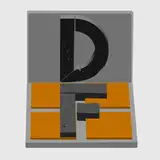
WHEW! This took significantly longer than I expected. Higher detail neon signs (64 total), every letter, upper/lower case and the numbers.
I know I made a tutorial about this, but now youuuu don't have to spend a day doing it!
HERE'S AN EXPLANATORY VIDEO
Doesn't need much explanation, but there are some tips in there for working with (and wiring up) the letters, changing colors/brightness, and switching between eevee and cycles.
Oh also, if you want, you can slap a subsurf modifier on there and everything'll get nice and smooth (these can be a tad bit polygonal if you get too close)
This one's blender only, mostly because it's 90% shaders and such, and I don't really think it would translate at all to other programs :(
DOWNLOAD LINK (right click, save as)
Thanks, guys!


BRAVO!
nevermind. lol that was easy
does anyone have any quick tips on converting the glow materials to work in EEVEE ?
I literally finished modeling about 8 neon signs for my movie just before you put this out! They are single tube letters though and some custom shapes. Can I apply these materials to my letters to get that same plasma core glow?
I have found the problem. If you go in the render settings, I disactivated the Denoising on the viewport, which seem to not be doing well with my current graphic card,
Same, it crashes!
Though 2.83 worked fine, 2.9 crashes instantly when I try to use Cycles on my iMac. I've now made a couple of videos with the letters on my Linux box using Cycles. Eevee works fine on my Linux box as well.
Does it work in Cycles?
My first experiment. I'm gonna make a channel tag using these. I do need to learn how to make one blink faster and I want one letter to explode: https://www.youtube.com/watch?v=qBVhupsRah4
When I render, the lights are not on. I switched everything over to Eevee on my Mac.
What is the issue?
Not sure why my old iMac doesn't like the set, but they work great on my Linux box. Been experimenting all day. Well worth the Patreon.
Holly molly! @_@
Thank you Ian! You are so generous with all the assets you give us!
Awesome. Thanks Ian!
This is the Eevee version! Check out the video, it's set up to work with both (within Eevee's limitations, of course).
This is awesome, thank you!!
Thanks Ian, is there a way to put an EEVEE version as well?
You are the man!!
Ah dude! Thank you!
Gotta try that, I have taken Blender models to Unreal and I always baked the textures and plugged them in the material editor of UE. Sometimes I exported the original textures and mimicked the node setup there, anyway, it's rather powerful too.
Awesome! Although I think we need these in at least 100 different fonts :D
Uuuuuh, seksi stuff, thanks so much! Yeah, it will be really handy to create great looking messages so quickly! As long as the font is coherent, the job is done 🤓👍
We don't deserve you! 😍 Oh by the way, if you want to share these between other softwares (besides Blender) you can export them as "gLTF" from Blender, this preserves the PBR shader setup between applications. So perhaps that will also work for Unreal users, for example. I'm not 100% certain!!! I hope I'm not mistake, and I only use Blender. But it should work, as that's what the format is intended for.
Would this not transfer into Unreal?
Thanks Ian, you're the best man :D
Ahahaha, yeah honestly hopefully I save folks some hours (although this is only one font)
Wow brooooooooooo thank you so much...as I'm almost finished with the first lesson on the neon sign 🥵 guess I won't be finishing that 🤭🤣🙏🏿
Very nice! Thanks a ton!
Awesome! You are genius, Ian!!
awesome!!! thank you