Loish
patreon
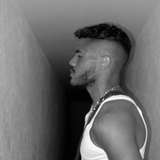
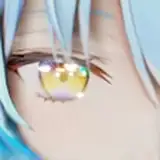
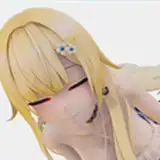
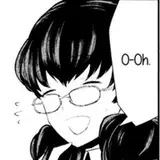
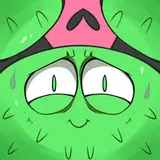
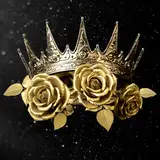
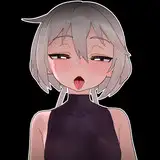
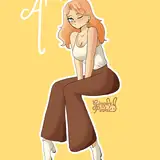
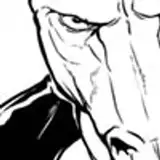
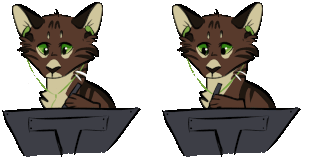
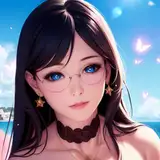
Here's some random characters for you guys! Playing around with shapes and some subtle iPad brush effects. The new ability to paint on an effect or color modification is kind of a game changer, especially for adding shading with a higher saturation. Have you guys tried it yet?

yes! that's why I love chromatic aberration. it gives this lens focus effect and depth. it's very nice!
I painted on chromatic aberration on a layer with orb-y glowy dots in a painting the other day and it just made everything feel so full and magical but it was also much easier to direct the eye
Ohh these are so bright and lovely! And yes, the changes to Procreate are so great and much needed! :D
@loish i hope so too. About Fresco, hummm I like the simple interface of Procreate so much more. Fresco has a difficult way of picking brushes and how to set brush sizes. I think in the end Fresco is a more diverse program that Procreate. So it has a longer learning curve to get into it. In the end it can win over some people who really like the analogue feel and touch. For me the brushes are heavy. Also the water color feature 😻 wow. It is really handy to do ‘water color’on the go. So I sketch in Procreate and finish it in Fresco at this moment. Right now I will not stick to one. Or I prefer to make the whole illustration analogue.
@aastha draw. That subscription bit of Fresco is killing. I use a lot of Adobe programs besides Photoshop and I can get student discount now. So for me no issues. But for others, it is no fun if you can buy Procreate once. And it is yours. But I don’t think Adobe will make Fresco an once buy thing.
Adobe fresco I feel needs to make themselves chargeable "one time" if they want to be taken seriously. I mean Photoshop is a beast but fresco has Procreate as a tough competition. Apart from this, I feel its the habit of using Procreate not letting us go explore Fresco. Other than that, fresco is one great application in itself with a feature of live brushes, they're just super cool.
yes! when you click on a filter, you can choose to paint it on with the pencil.
haha don't feel bad! do whatever feels more comfortable for you. i feel like your method is the same thing, but with a bit more control and ability to adjust later on.
ah yeah, I see! I feel like painting effects is basically the same as your process (effects on a layer and then mask it), but just the shortcut method. but it does feel like there's less control, since once you commit to it, it gets 'baked in' to the layer. but yeah i guess this is their way of differentiating themselves from photoshop.
i think you'd like the new stuff! what do you think of adobe fresco?
oh and that FAQ is here: loish.net/faq :)
hey alice! I am self-taught when it comes to digital, yes. i think the main thing for someone starting out is to just keep it simple! just stick to sketching and maybe trying some color, but don't make it too complicated just yet! You can follow my procreate tutorial to see the basic steps of my process, but you can just stick to the first couple of steps if the rest feels overwhelming: https://www.patreon.com/posts/tutorial-video-42911573
hey nazrin! I usually work on different stuff at the same time, yes. I have a few paintings that I'm working on but I do other stuff in between. with sketches like these, I do try to finish them in one sitting, but sometimes I don't. i think it's fine to switch between works, unless you feel like that's holding you back in some way!
ahh that's a good tip, i gotta try that!
I get that! the more complicated my process gets, the more i feel this disconnection too. i think procreate & ipad is a great tool for just sketching and drawing. it's very responsive!
She has a great FAQ on her website that covers some of your questions! (I’ve read it multiple times 😁)
Yep, it is a cool feature ☺️ I tried it but I don’t use it. To be honest I handle Procreate like a traditional paper and pencil. I use layers and opacity and I love that digital painting/drawing is so forgiving but that’s all. I kind of feel disconnected from my piece if I use to much digital stuff. I don’t know why 😔
I've tried Gaussian blur on pencil creates nice subtle color transitions especially good when a project is almost done and in the final polishing phase.
HI, Loish. I have a question: do you work on different projects at the same time or you focus on one before starting to new. the reason I ask this question - I switch a lot between works, I don't know is it normal?)
I haven’t tested yet! But I have a question: Did u learned digital art by yourself? Bc I’m kinda new on that and I’m so lost 😅😂. Do u have any tips on improving and learning digital art?
Basically, the pencil option is you can just use your brush to add a mask!
Nope I haven’t yet! 😱 I was trying to figure out Adobe Fresco - once again. So haven’t touch or even updated the lastest version of Procreate. But I will do it this week! Very curious
really cool sketches! personally I hate the effect pencil thing because I never use it (I prefer to make modifications on a layer copy and then use a layer mask), and it adds an extra step to the effects because now I always have to tap "layer" 😅but maybe I'll get used to the new pencil feature. I would have preferred if they added effects layers that impact all the layers underneath like in photoshop, but maybe that's too complicated for the way procreate is coded.
I feel so bad, I don’t know how to use it very well and keep using the layer instead and adding a mask
I haven’t tried it myself. Is it the pencil filters? Or something else?
woohoo! that's great news. it's such a useful tool honestly.
Aww, what a great tip, I didn't think of using it like that, I will try it!! Also, do you know they added back the 'recolor' function (it's under quick menu for now)? Yaay
I have never used it that much cause I work on separate layers but it's useful