Loish
patreon
This month's tutorial is a much requested topic: Capturing the planes of the face! I talk about how you can simplify the head into basic geometry in order to convey the planes of a head, and how you can use the Asaro head as a reference. I also run you through a few different art styles that have different ways of conveying this topic! This is a great one for those of you who want to capture more 3-dimensionality in the heads that you draw, or get a more sculpted semi-realistic style like in Arcane. I hope you enjoy it! ✨
 The main brushes I use in this video are:
The MaCaLabs HB pencil brush for the initial sketch (there's also a Procreate version)
The hard round brush from my own brush set for blending and painting
Yuming Li's brush set for the smudge brush

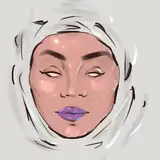
Here's the artwork I made in the demo:

 Here are some additional tutorials I've made in the past that would be a great supplement to this one:
My guide to stylizing faces: this video runs you through how I construct the basic proportions and features of a stylized face.
Creating interesting & flowy shapes: this is a great resource for understanding how you can modify the shapes of shadows and highlights to get a more organic look.
Statue studies | resource video and challenge: this challenge is a great one to try out if you want to draw heads with a focus on volume. The resource video discusses specific challenges around creating volume-based artwork.
Next to that, I also mention two really helpful resources for studying a planar head:
Interactive male head lighting tool on Artstation
Basic head structure building blocks on SketchFab
 Here's a cheat sheet with the most important information from the video - you can also find a PDF version with clickable links attached to this post!


I hope you enjoy this video ! Feel free to share any future tutorial suggestions in the #tutorial-suggestions channel in the discord server (If you don't know how to join, just follow the steps outlined here) or leave them in a comment below ❤

hope you liked it!
👍🏻 Thank you.💙
☕️. Just getting into this one today.👍🏻
that's so odd! i'm also not seeing anything either - maybe there was an update or change to the site that affected the functionality of this tool. hopefully they will fix it! I guess a decent alternative would be the asaro head on sketchfab, which unfortunately doesn't have lighting options but you can still put it at any angle you like: https://sketchfab.com/3d-models/asaro-head-9d26548182f8465a8e97371a9170561e
Awesome tutorial and thank you for putting in the link of the interactive face model. Sadly it doesn't seem to show for me at all - like I can't view it. Tried emptying my chache and all but I simply can't see or use it. Is there some issue I am too stupid to see, or what am I doing wrong? Does anyone else have this issue? Could not find anything else on the internet either.
that's definitely a challenge I've run into as well! something I've done in the past is use a little keyboard for shortcuts, and click the ipad into a special plastic holder that makes it easier to lean your arm on it. it's called a sketchboard pro: https://sketchboardpro.com/
Hey Loish! I have a question about ipads. As a cintiq user, how did you get used to the ipad? I recently bought one to draw on the go with, but am so used to my cintiq that it feels weird! Any suggestions for making the ipad FEEL more cintiq-like?
This was enlightning! Thank you so much!
Loved this one. Now to try it out for one of my face studies.
yay! that's so great to hear!
happy to hear that! thanks for your kind words!
I'm so glad you enjoyed it!
Thanks Loish that was really insightful and useful! x
Love this tutorial. Understanding facial planes is the next step in my art journey. This tutorial was extremely helpful.
This is exactly what I need. Thanks a million, it is very useful for me :)
I so needed this tutorial this week. Thank you!
That was amazing. I learned so much and I think I just made the most readable face I ever did . Thank you so much . You explain so well too!
Thank you so much for this wonderful tutorial🙌l Could you show us in another tutorial some tricks to render and finish the illustrations in a professional way, I would love to know how you handle your round brush to create those color transitions. Could you give us some exercises to practice? Like in school 😂💖
It was suggested a bunch of times, but your recent suggestion really inspired me to go ahead and do it! thanks so much for sharing your ideas with me!
thanks so much! I'm glad you liked it :)
thanks so much Raquel!
Hot dog! I didn't think we were going to get the planar face tutorial so soon! Thanks so much as always, and breaking things down understandable for us to learn.
Such an usefull video! I didn't knew this specific head was called "Asaro head", but I sure learn a lot with your analysis with different styles ! well done as always Lois <3
I found the tutorial super interesting once more you explained everything so well thank you very much ❤️
Oh I needed this 😀