bugarija
patreon
Hello people,
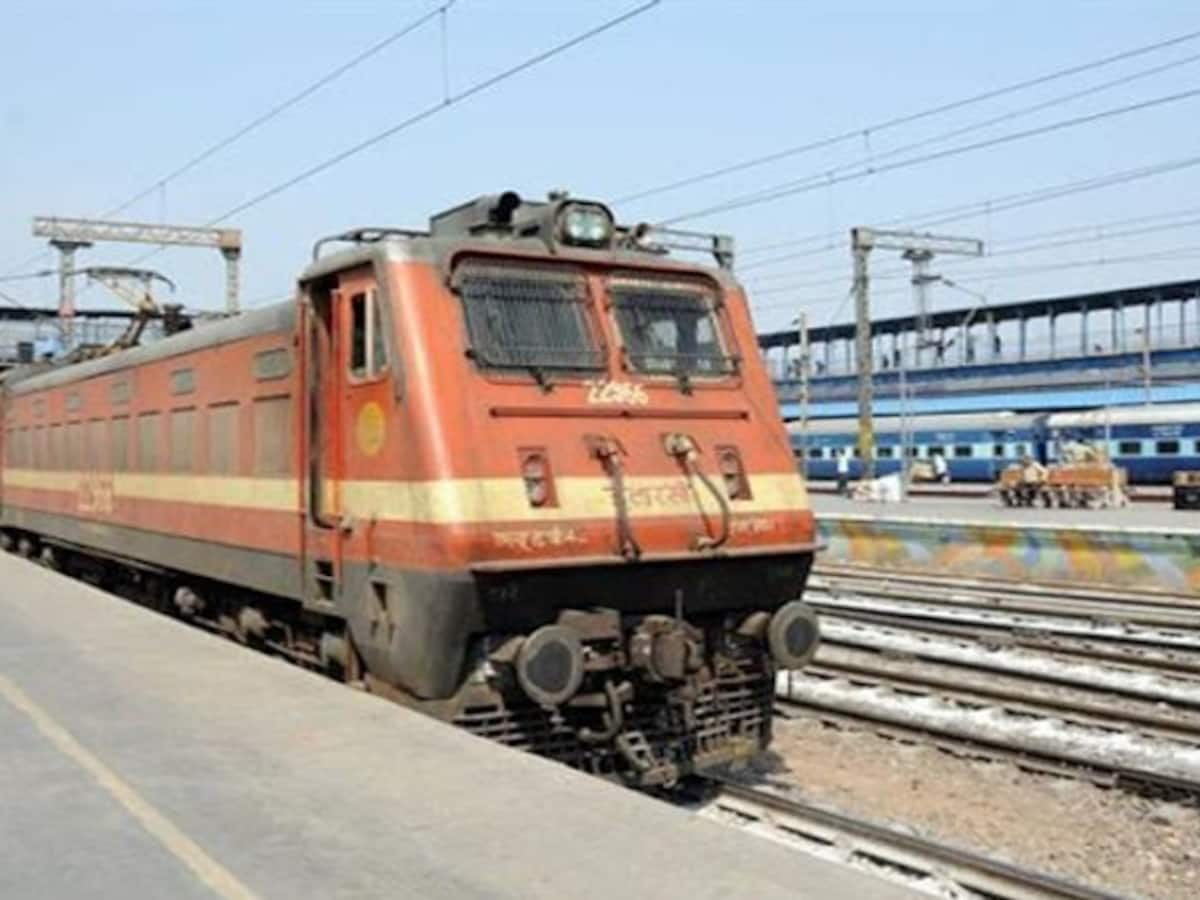
after some time, I created a tutorial that is mainly dedicated to modeling. I hope you can learn something new
Please note that the videos are hosted on YouTube but are set to "Not publicly available" and as such only available to users who purchase them. Please do not share video links!
If you like the tutorial you can share the Patreon link.
01 - https://youtu.be/ShVjx2_JXls - Introduction - 1 min
02 - https://youtu.be/Nd4BswFcHk0 - Import reference and base shape - 7 min
03 - https://youtu.be/GbbntfjrsBg - Details and main bevel - 13 min
04 - https://youtu.be/eFOsuO-KqLQ - Projecting image on the model - 9 min
05 - https://youtu.be/RfqhgQVqzzs - Creating windows - 18 min
06 - https://youtu.be/s7vAmo0HHZA - The front of the train - 14 min
07 - https://youtu.be/l9wGCcEU5LY - Materials - 18 min
08 - https://youtu.be/xL65qHbjzxs - Adding details - 9 min
09 - https://youtu.be/Fv0RD8yf9EQ - Curves and cables - 6 min
10 - https://youtu.be/BDndGECurgA - Adding more details - 19 min
11 - https://youtu.be/vMdirGEd4nA - Doors, windows, trumpet - 14 min
12 - https://youtu.be/iWDTbHmMTAk - Creating more details - 12 min
13 - https://youtu.be/lEHQQbj0zbU - Wheels and engine - 26 min
14 - https://youtu.be/cq5WD6LuoWo - Placing greebles on the train - 15 min
15 - https://youtu.be/-Z2PV7itWkA - Graffiti and leaking - 11 min
16 - https://youtu.be/BpLLiokb3Pc - The final part - 8 min
FAST TUTORIAL- https://youtu.be/qdu5V9wFbMg
___________
RESOURCES (also in the description of the youtube videos)
PART 2 - Import reference and base shape
Reference 1 - https://static-ai.asianetnews.com/images/01eg0my1vrew0espxbsaqzdby8/untitled-7-png_1200x900xt.jpg
Reference 2 - https://www.india.com/wp-content/uploads/2022/09/train-new-2.jpg
PART 4 - Projecting image on the model
Collage Texture - https://drive.google.com/file/d/1Pj4Ohu1iZArq56Mf6pbGlh1dNxQ1C4DR/view?usp=share_link
PART 7 - Materials
Concrete texture - https://pixabay.com/photos/concrete-wall-retaining-wall-3398302/
PART 15 - Graffiti and leaking
Graffiti texture - https://drive.google.com/file/d/1UiLg24YQ3bw1zBrxjwghBEbVsBi461lT/view?usp=share_link
Graffiti texture - https://drive.google.com/file/d/1N-qm_5lDPwWb9sRN74XKFiDOY9cgvsjs/view?usp=share_link
Leaking texture - https://www.textures.com/download/DecalLeakingRusty0030/118351
Final .blend file- https://drive.google.com/file/d/1zznOXaFib-PS_UATBXLxCX_cORu7guMW/view?usp=share_link

ahhh soo the wireframe modifier is the holy grailll..
Thank you. I'm always glad when my tutorial helps someone.
Enjoyed the tutorial, looking forward to using my train in the train station scene next! Only trouble I had was with some of the topology which got a bit messy and required a bit of fixing and the normals of the wireframe modifier tripped me up a bit. I enjoyed the work and learned a lot.
Aaa cool.I’ll try it
Hi, I don't think it's about any addon, the bevel in combination with the light at the right angle makes the bevel visible.
Šime which Add-on is this one which makes your material beveled ? Is it free ?
This is amazing, thank you so much! I was obsessed with trains when I was a child, this bring back memories!
excellent thank you!!
Great tutorial!