DmitriytheRussianBear
patreon
An extra set of textures is ready!
All items are also craftable, upgradable, and enchantable.
I have updated the archive with the mod and therefore ask you to download the archive again.
P.S. the maximum size of the file on Patreon can not exceed 200 MB :( , so I had to put the file on Mediafire (button in the post with the mod :). I hope this will not inconvenience you guys.
Let me know if everything is OK with the download :) and have a nice game!


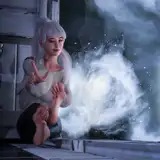
Oh, I'm so glad you liked this work, my friend! Honestly, I could adapt my creations for BHUNP bodies, but I don't want to do it (because I'm a lazy ass, haha!!!) for one reason. The thing is, the basic shape of the BHUNP body is slightly different from CBBE (and TBD too). I modeled based on the basic CBBE body shape. When conversion (adaptation) to other bodies is done, various imperfections become visible. For example, distortion of the model where there was a fit to other bodies and many other unpleasant little things. In short, I don't want such result :) P.S. Now I'll show you how Set N5 will look approximately.
This is going to make me finally leave BHUNP behind. This is too incredible a set lol
:)
thanks very much!
Oh, don't even worry about that! When I do, I'll write a post with screenshots. And your question makes perfect sense. I didn't understand anything about it myself until recently. Honestly, I still don't know much about modding :) Anyway, expect an update :)
sounds great!!! but, dumb question, since i am a novice, how would you get bodyslide to not generate the fur? Which checkbox?
And I have an idea: what if I make a small change in this mod. I will make it so that you will have the option in Bodyslide to choose, with or without fur to generate some of the set elements. I was thinking about this earlier. It will be like the chest cover element: with a simple click on the checkbox you can remove or leave the fur. How do you like this idea?
oh lord. ok. i will have to have someone help me cause i am really bad at modifying anything. thanks for replying!!
Hi Kathryn! Yes, you can. To do this, open Outfit Studio and load the specified nif file. Then in the mesh list on the right, select: fur outer r, fur inner r, fur inner l and fur outer l. Press Delete and export the nif file to the folder you opened it from. If you want to delete the fur from the project file, just save the project after deleting the fur.
hey there! Is there anyway to get the leg guards without the fur? Just curious!
And I kept thinking, what did these tones remind me of? Right, something like the clothes of the dark brotherhood. Strange, I hadn't even thought of that :) I'm glad you liked it!
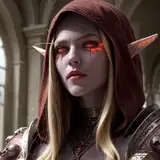
Hmm, mostly ideas come spontaneously. I try not to take someone else's images or work as a basis. But there's so much art and characters in the world that I wouldn't be surprised if my work is similar in some way to something that already exists. In set N5, I want to create something that is as unlike previous works as possible. A different style, different materials. Something new, maybe not even very appropriate to the game's lore. Something like this.
This texture set has a nice Dark Brotherhood vibe about it, I love it!
Say bear, how do you decide/think up N5? Like do you just want to do something in a genre or do you get inspiration from clothing/adventure wear?
Thank you!
Beautiful work!