vamx
patreon
Also see the Twitter vamX 1.27 video from voice artists FilthyMarkus & MoanElisa (enable sound after opening).
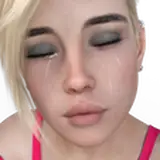
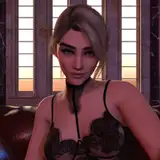
More realistic facial expressions using the included paid and free morphs from AshAuryn designed for vamX (more morphs for creators available from patreon.com/AshAuryn). These morphs include activation of many additional subtle muscles, thereby creating more realistic expressions. Her default expressions, sex expressions, and emotions (Other -> Mood / Emotions) have all been improved. Her default, non-sex, facial expression is also now more neutral (as requested by patrons). If you prefer a more happy or flirty default expression go to Other -> Mood / Emotions -> Female.
Greatly improved lip-sync jaw and mouth movements for most female voices (voices after the first two pages). Lip sync is now more realistic and contains fewer distortion errors, even when combined with other morphs.
VaM Sync now works correctly with Max & Lush. Lovense devices are now in-sync (instead of in reverse sync), and can respond at both slow and very quick speeds. You can now also choose which device you are using to optimize VaMSync for that device (Handy/Stroker vs. Max/Lush/Vibrator). Updated the Help -> Sex Toys to include information about using Lovense devices as well as physics based thrust detection (measures real penetration depth, best for vibrating toys as the Handy updates too slowly). This help can also be opened through Plugins -> Control The Handy & Other Toys -> HELP.
Added Drag Body button to Plugins -> Embody. Press Drag Body if you are using Embody and want to move around the room freely (especially useful when playing with RagDoll females who can be pushed away).
Improved female hand movements (both from Start Thrust and Pose -> 2nd Page -> FEMALE HAND). These now better target the correct areas. This makes an overall improvement in Action -> Start Thrust, with more natural and less awkward looking animations (although still not totally natural). The Touches Male Throat button works best when transitioning from already touching the Male Neck.
You can use a Strap-on as a floating Dildo (instead of the Male), if you hide the Male then go to Male -> 2nd Page -> Toggle Strap-on. This was possible in the previous release but was never announced.

Did you run VaM_Updater.exe? That's Virt-a-Mate, supported by MeshedVR not vamX. If you aren't a MeshedVR supporter, and also don't have the Steam version, updating could take you back to a trial mode of Virt-a-Mate. You need to revert back to the older 1.20 version of Virt-a-Mate (the latest 1.20) or get a new key from www.patreon.com/MeshedVR .
I ran the updater and it updated to 1.22.0.1. Then, none of my scenes show up in the scene menu (just the default scenes as though I installed for the first time). All my files are still in my addons folder. Do I need to set a path somewhere?
You need the VaM_Updater.exe. Do you have that? If not get it here: https://cdn.virtamate.com/Release/VaM_Updater.zip Unzip that and put it in your VaMX folder (so you see VaM_Updater.exe next to VaM.exe). Run VaM_Updater and update!
is there another way to update the steam version to the new 1.22.1 meshed version besides thekey swap because i think im doing it wrong
For some reason this is caused by Virt-a-Mate being broken in some strange way. You should try downloading a free copy of Virt-a-Mate, copying in vamX only, and seeing if it works correctly. If it does next copy over your whole AddonPackages folder. If it still works correctly copy over your Custom and Saves folders. There is one other thing you can check, which is to move your Virt-a-Mate folder closer to the root of some hard drive, like D:\VaM.
I've found since I updated to VaM 1.22.0.1 some of the VaMX UI menus are showing as a big grey rectangle (The Others tab, some sound pages etc). Do you know what's causing this or how I can troubleshoot the issue myself?