HOUNDTOMBS
patreon
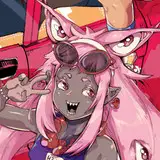
forgive me for how late into the month I’m releasing this base - my mental health hasn’t been great during the latter half of January and I’ve been playing catch up with my queue, which admittedly caused me to loose focus on my monthly things such as bases and rewards, so now I’m behind in those too ^^; but, hopefully this one was worth the wait - I hope everybody has fun with it!
RULES FOR USE ARE AS FOLLOWS:
Do not distribute this Lineart under any circumstances.
You are allowed to use this base for personal use, gifts, customs, adoptables, and freebies.
For toyhouse credit, please link back to my Patreon profile rather than crediting my toyhouse page directly!
You are not allowed to earn profit by drawing pre existing characters on this base. IE taking commissions or trading base fills for something of monetary value
Do not remove my watermark!
The PSD’s attached below are the full 96 layer psd file, alongside three split files for those who cannot open the full file in their art program.
Make sure to download all 2 split files to get access to all of this bases features if you cannot open the full file!
To download, click on the attachment below ⬇️ the first two attachments are the split files, and the final attachment is the full 96 layer file

Im so excited to fill this in of my new main whos plushie inspired!! ♡
Can't wait to fill this! Thank you!!!
Okay thank you so much!
Hiya! Unfortunately I’ve never used ibis so I don’t have much advice to offer in terms of how to colour in bases using the program. I updated the post to include the full file download since I forgot to include it in the initial upload, I apologise! However, if you find you still need to use the split files, unfortunately I don’t think there’s any other streamline way to use them other than whittle down and delete the layers you don’t need until you’re able to merge both files together. Also, in reference to cheer bear, the coloured cheer bear is just for the preview image and aren’t available on the base itself, you can colour in the bear yourself to get the cheer bear look!
Hi I just got the base and I color on ibispaintx. I'm really confused I really wanted it to have the cheer bear colored in option and I don't know how to move all the layers to the other one because when I download both psd they open separately for ibispaintx