Furkan Gözükara
patreon
Join discord and tell me your discord username to get a special rank : SECourses Discord
Login or Register RunPod : https://runpod.io?ref=1aka98lq
I have spent over 1 day to code a special python script that will download the very best 160 models from CivitAI and Hugging Face.
Total size is 409 GB.
You can edit the download_top_160_SD_1_5_models .py file and disable download of any model you want.
Why I prepared this?
Currently I am doing testing on each model. Once I find the most realistic and advanced one, hopefully I will do academic experiment on that model to find out very best DreamBooth training configuration as I did for SDXL.
On Windows download_top_160_SD_1_5_models. bat file and download_top_160_SD_1_5_models. py file and double click bat file to start downloading.
If any error occurs during download, it will move to the next model. After entire download ended, run the script again and it will download only error occurred models. Such errors occurs since this is a network based script.
For runpod just upload download_top_160_SD_1_5_models .py file into workspace folder and run as below
When you run the script, it will ask you how many threads to download. 1 works best but based on your network speed, you can enter more such as 5.
You can also edit py file and set the download folder as you wish.
The files will be downloaded into the stable-diffusion-webui/models/Stable-diffusion folder by default wherever the script is run. You can edit it.
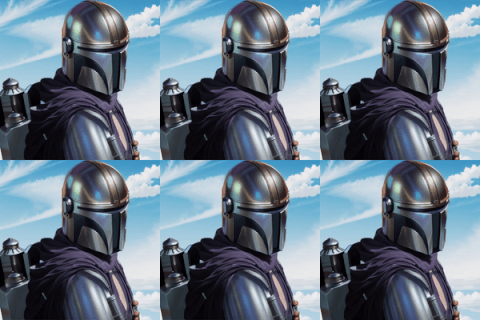
Click To Download More Comparisons (10 X/Y/Z plots - 1.1 GB)


yes it downloads all models as .safetensors model
Is it possible to download the files in the safetensor model? Because I don't have Stable Diffusion installed on the machine, I use it on websites...
yes i am planning hopefully
Thank you very much for this! Do you plan to do the same for SDXL models? :)
Oh I see. yes that can be the reason. My auto installers are expecting CUDA and NVIDIA drivers to be installed.
I think I might have found the issue. I'm using an EC2 instance on AWS and by default it didn't have the nvidia drivers installed on it. I'll try installing them and then see how that goes.
hello. what is your GPU? if AMD you need to add --skip-torch-cuda-test and some other parameters.
This is for the auto1111 install
I've got your automatic downloader but I'm running into this error when running it. "RuntimeError: Torch is not able to use GPU; add --skip-torch-cuda-test to COMMANDLINE_ARGS variable to disable this check"
thanks a lot for sharing. i checked a lot of models but must have missed
Oo nice, but you have missed one really interesting model :-) https://civitai.com/models/148165/puredarkness Just kidding, but you have to check it out - i'v Finetuned it with almost 1000 "cheery-awesome-picked" images that i created in Illuminati Diffusion... I think it is kinda unique model, you can do a lot of awesome imgs with it. I find out it is really great for merging with other models - so you can try to merge it with your Dreambooth model trained on your face etc...