Adult VR Game Room
patreon
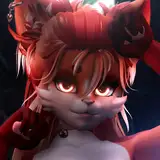
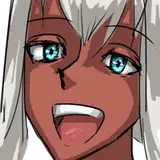
Have you ever wondered what would an offspring of an Orc and an Elf look like?
Now you can find out for yourself! Fuse different races and species in the new ACTOR Fusion Chamber. Take control of the fusion process by selecting or removing desired appearance features and traits. Recycle undesirable ACTORs to gain precious Atoms in the new Recycler Unit.
It's time to let your creative juices flow and show everyone what you can create in this new Adult VR Game Room update.
Download the 0.6.1 update here.
What's new in the update ?
NEW ACTOR Fusion Chamber (Fuse ACTORs together to create new and unique looking ACTORs)
NEW ACTOR Recycler Unit (Convert ACTORs to Atoms)
NEW Atoms (in game currency)
NEW Naiad race (look for this aquatic race in the lakes and rivers of Ishdagar)
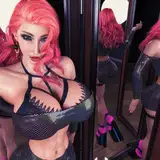
NEW ACTOR Appearance Generation System (more variation, more facial and body types and features)
NEW Mouth physics (bigger, wider, deeper, better)
NEW Blowjob sounds and effects
NEW Big Muscles (do you even lift?)
NEW Color variations for each skin
NEW Longer nails
NEW 3 new hairstyles
Improved ACTOR storage increased to 24 spaces
Improved Updated appearance and rarity features for Humans, Elves, Orcs, Savages
Improved Initial loading time
Improved Griffin's Nest stage performance
Improved ACTOR breast collisions
Improved Oculus Quest post processing profile
Improved USA, South Central server region added
Improved Desktop Mode performance
Improved Desktop Mode controls
Fixed Griffin's Nest stage crashes
Fixed Initial loading screen crash
Fixed Floor collision issues on all stages
Fixed ACTOR despawn after being sold
Fixed ACTOR body not appearing in Multiplayer
Fixed Multiplayer Desync caused by ACTOR RPCs
Fixed Countless small bugs squashed
I hope you'll enjoy playing this new update as much as I enjoyed making it.
Have fun!
Join us on Discord.
Wishlist on Steam.
All patrons get access to both the VR and the Desktop versions of the game, updates and more. If you are not our patron yet, you can become a Patron right now.

im not sure to know how the fusion chamber work...
When i click on the links it downloads it from we transfer but the files and game is running on .6.0 vant seem to fibd version 6.1
Hey, you have to create a game account and login using it. Click “create an account” on the game launch screen.
i am no programmer, so i wouldnt know how difficult my request is. But would it be possible to make it able to rename my created actors ? i always get confused with my amount of hybrids xD
You have to register a game account and login using it. Click the “Create Account” button from the game launch screen.
perhaps in just an idiot but when i try to log into the game via my email "im using the patreon account" it says no registered account with that email....which one am i supposed to use?
Hello. You are correct, however, that teleport toggle was the problem: I've played earlier version and apparently changed that option back then. Now that I wanted to refresh my memory on movement with a new version by selecting "replay tutorial" on launcher I was left stranded on the first part of the tutorial. Playing trough that on keyboard and switching the movement type in ingame options fixed the issue.
HTC Vive and controllers are fully supported, tested and work with the game. Please check your SteamVR controller settings to make sure the bindings look correct. You can change locomotion type in the game by selecting Settings > Controls menu on one of the wall in the game.
Controls not working on vive, defaults do nothing nor does custom ones. Also, a possibility to toggle locomotion and move just by teleporting?
Video is up
Hi. Can you share a screenshot or a video in our Discord server? Also, try changing the Anti-aliasing option in Settings>Graphics and see if it helps.
I don't know if it's the same in desktop mode, but in VR, they have these white lights flickering around their heads, that only get bigger the further you get away from them.